
- Help Center
- ACCOUNT SETUP
- 1. OOTI CONNECTION
How to cancel Stripe subscription ?
You wish to cancel your subscription ? Here are the steps.
🔓 Permissions required
Super admin
| Reading time | 1 min |
| Setup length | 2 min |
| Steps | 3 |
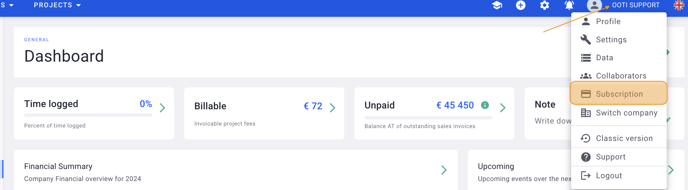
To cancel your Stripe subscription, click on your name on the top right hand corner > Subscription.
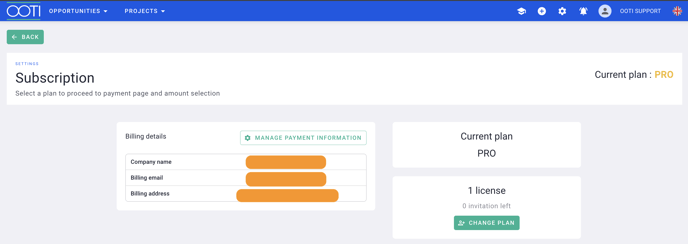
Then click on Manage Payement Information.
Finally, click on "Annuler l'abonnement".
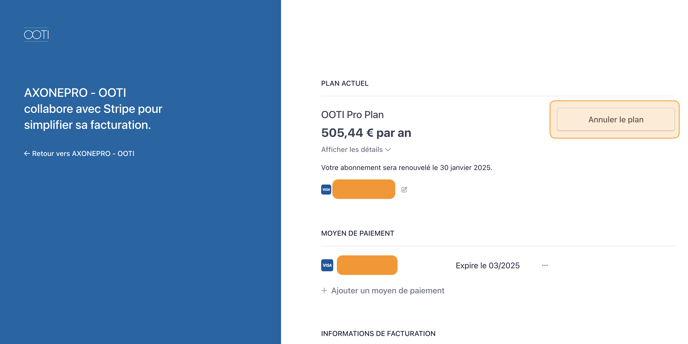
⚠️ If you are committed annually, the cancellation will only be effective the contract renewal anniversary day.
⚠️ If you are not committed, the last invoice will be calculated depending on the number of days used within the month.